Purpose-Built Tracking Sheet
Set up a dedicated sheet with guided configuration.
- Client and respondent details
- Configurable form slots
- Form dropdowns, links, and received checkboxes
- Send and reminder logs
- Completed cases hidden from the dashboard
Rating Scale Connect
Assign forms, send requests and reminders, track returns, and surface overdue follow-ups—all from Google Sheets.
Built for school psychologists, psychologists, and other evaluators.
Rating Scale Connect brings tracking, email requests, reminders, and return status into one organized workflow.
Manage clients, respondents, assigned forms, links, and completion status in one place.
Open cases are sorted by time since the last request or reminder.
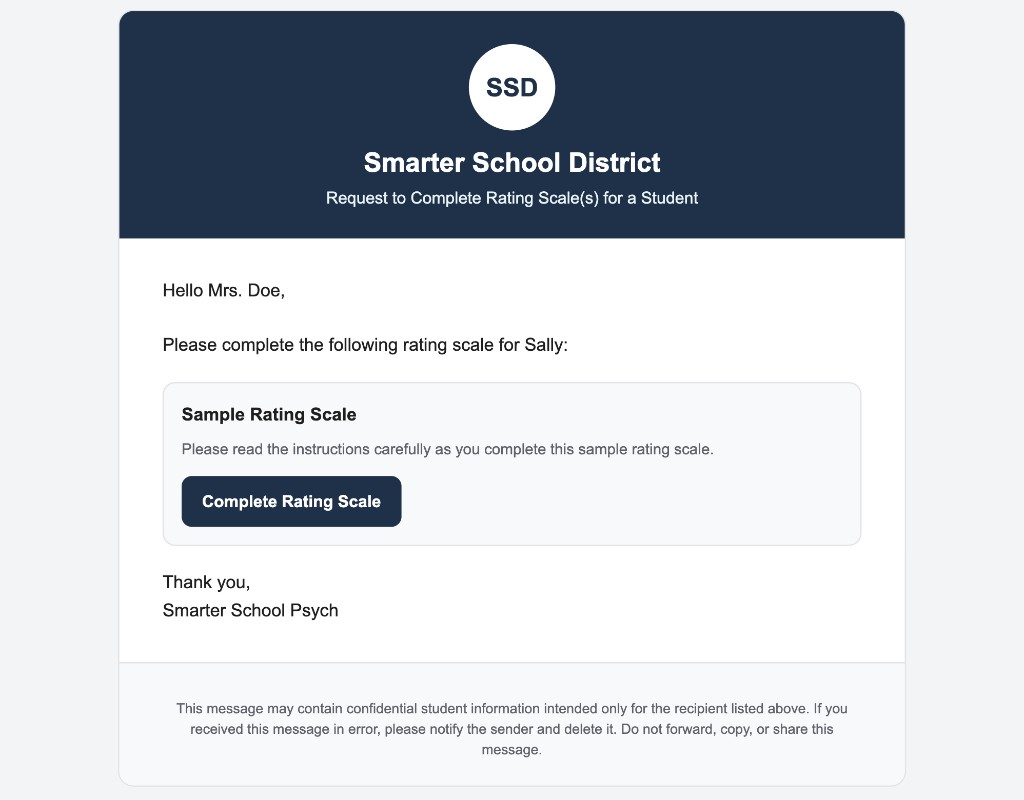
Use editable templates, automatic form lists, instructions, and professional email formatting.
Set up a dedicated sheet with guided configuration.
See only cases with outstanding forms.
Send emails directly from your own Google account.
Create polished, branded messages for parents, teachers, and other respondents.
Use built-in defaults or add your own forms and instructions.
Watch how to set up the tracking sheet, assign forms, review open cases, send requests, follow up with reminders, and mark forms received.
Demo video coming soon
Setup wizard · Adding clients · Assigning forms · Open cases · Previewing email · Sending reminders · Marking forms received
Rating Scale Connect keeps the tracking sheet and workflow within Google Workspace and includes safeguards to encourage careful handling of student and client information.
You remain responsible for confirming that recipients are authorized before sending student or client information.
Organization licensing helps school psychology teams, special education departments, and other evaluation teams use shared defaults while managing their own cases.
Yes. Requests and reminders are sent from your own Google account.
Yes. You can preview and edit the subject and message before each send.
Yes. You can add custom forms, links, and instructions to the form catalog.
Users mark forms as received in the tracking sheet. The dashboard updates based on those selections.
Yes. All users can customize templates, sender information, branding, form buttons, and confidentiality notes.
Rating Scale Connect is designed specifically for Google Sheets.
Yes. Organization licensing can provide shared templates, branding, sender defaults, and form catalogs.
Install Rating Scale Connect from the Google Workspace Marketplace.
Manage rating-scale requests, reminders, and returns from one organized Google Sheets workflow.
Install from Google Workspace Marketplace to get started. Full pricing details are coming next.